
Web ERP for distributors and product companies
Sales, stock, service and the books in one web system.
Opvera brings quotes, orders, invoices, payments, inventory with serial numbers, purchasing, accounting, RMA, tech support and UPS / FedEx / USPS shipping labels into one place — in the browser, on your own hosting.
Request a demo Try the live demo See the featuresEvery new installation works fully for 14 days before a license key is needed.
- Customers, quotes, sales orders, invoices, payments
- Inventory with serial numbers and warranty
- Purchasing and accounting
- RMA, tech support and inquiries
- UPS, FedEx and USPS shipping labels
- Email conversations, team chat, reps & commission
- Updates included while the license is active
Real screens from Opvera
These are actual screens from a working Opvera installation — not mock-ups.
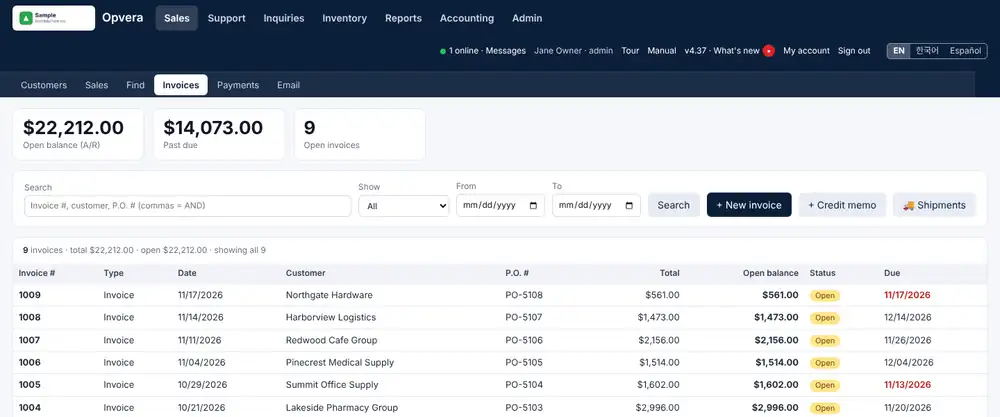
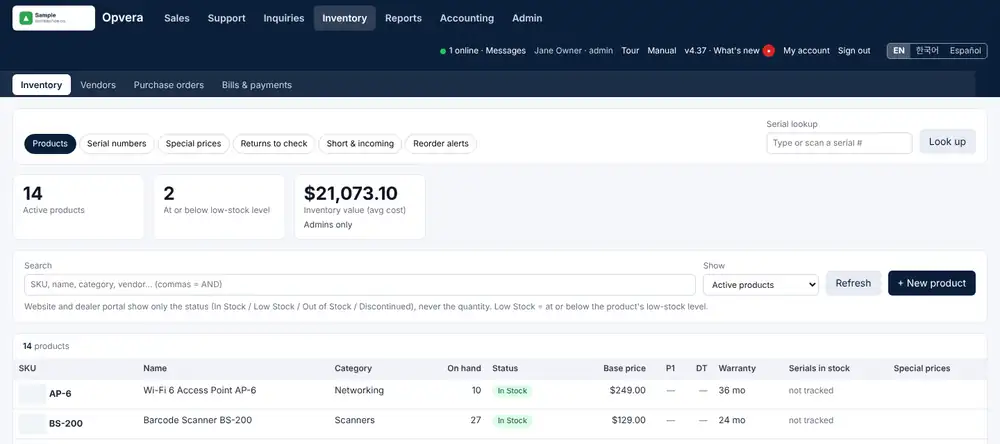
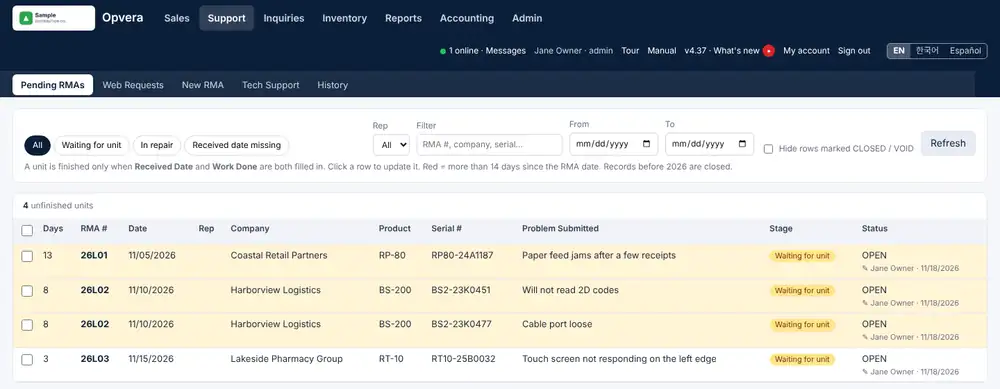
Screens show a sample company with made-up data. The interface is available in English, Korean and Spanish.
Why teams choose Opvera
One system instead of an accounting program, a stack of spreadsheets and email threads.
From quote to cash
Quotes become sales orders and invoices; one payment can be split over many invoices, with receipts and statements.
Serial numbers built in
Scan serials when stock arrives and when it ships, and look up the warranty of any unit by its serial number.
Service in the same place
RMA numbers, tech support calls and customer inquiries sit next to the customer's orders and invoices.
Ship from the order
Compare UPS, FedEx and USPS rates, buy the label, and follow delivery — without retyping the address.
Books that post themselves
Sales, purchases and stock post to the general ledger, with P&L, balance sheet and an export for your accountant.
Your data, your server
Runs on ordinary web hosting you control, with two-step sign-in, access per user and backups.
Up and running in an afternoon
Upload
Put the ERP on a subdomain such as erp.yourcompany.com with an empty MySQL database.
Install wizard
Server check, database, your company and logo, first admin, modules and first document numbers.
Bring your data
Fill the Excel / CSV templates for products and customers and import them.
Go
The Getting started list walks you through your team, a test email and your first quote.
See Opvera with your own workflow
We will walk you through quotes to invoices, stock and serial numbers, RMAs and shipping — using the kind of products you sell.
Request a demo Try the live demo Request a quote